inwards - app I made to learn SwiftUI
If you want to skip the reading, it's on the App Store.
What it is
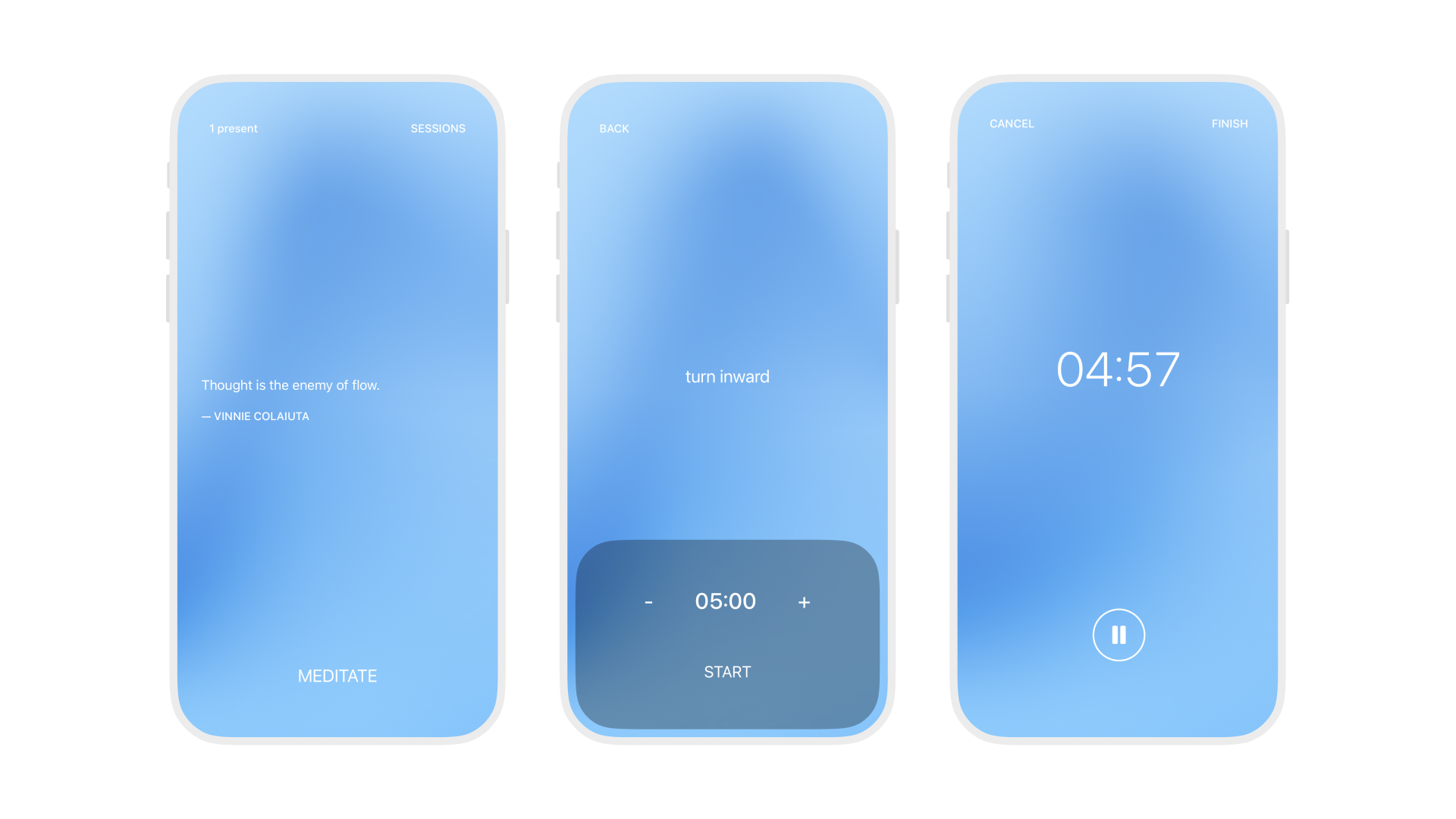
Inwards is a meditation timer. You set how long you want to sit, it counts down, a bell rings, and it asks how you feel. That's basically the whole app.
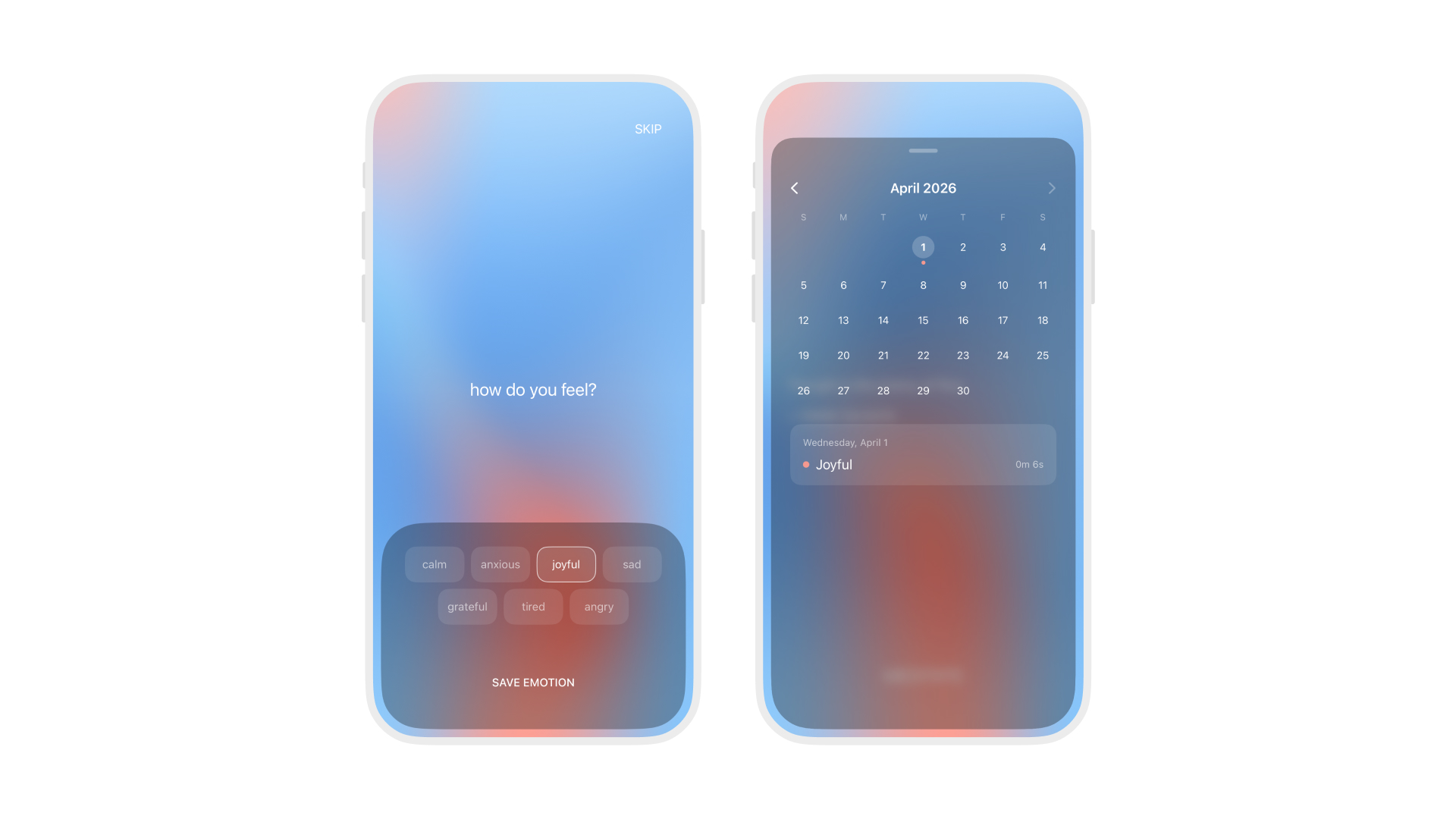
The one thing that makes it a little different is the background. It's a slow-moving color gradient that changes based on the emotions you log. It carries your recent history, so when you open the app, the colors reflect how you've been feeling lately. You read it as color instead of a chart or a list.
Why
I kept trying meditation apps and most of them felt like too much. Accounts, streaks, courses, stats. I just wanted a timer and a quiet place to check in with myself.
Mood-tracking apps bugged me for another reason. You log an emotion, it goes into a list, and you forget about it. A week later you scroll back through entries and they don't really mean anything anymore. I liked the idea of your history being visible the moment you open the app, without having to go look for it.
The gradient
Each emotion has a color palette. When you log one, its colors get mixed into the background gradient. The oldest emotion's colors eventually get pushed out as new ones come in. It's a simple queue, four slots, with some randomness in how colors get placed on the grid.
It means the same emotions logged in the same order never look exactly the same. And the background is always this blended mix of your last few check-ins.
I almost didn't build this. I was going to ship with a plain background and add the gradient later, but I'm glad I didn't wait. It ended up being the thing that makes the app feel like something.
A few details I liked making
The history card is a custom sheet, not the standard iOS one. It floats inside the screen edges and matches the device's corner radius. There's a drag-to-dismiss gesture that I had to put on a separate fixed overlay because SwiftUI's gesture coordinates move with the view they're attached to, which causes jittering. Took me a while to figure that out.
Screen transitions use a blur effect instead of the usual slide or cut. Views dissolve in and out. It's a small thing but it makes the whole app feel softer.
There's an "X present" counter in the corner. It's Firebase (because of free plan), no auth, just a number. Meditation is a solo thing, but it's nice to know someone else has the app open too.
What I learned
This was my first iOS project. The goal was to learn SwiftUI and also go through the whole process: Xcode, SwiftData, App Store submission, review, all of it.
The app is maybe 18 files. I designed and built it myself. Nothing fancy. I just wanted to make something small that I'd actually use.
The gradient system taught me to start simple. My first attempt was overengineered, full of weighted averages and decay curves. The version that shipped is one function and a queue, and it works better.
The custom sheet taught me more about how SwiftUI handles touches than anything else in the project. Edge cases with gestures, clipping, and overlays that you only hit when you try to do something slightly nonstandard.